> ## Documentation Index
> Fetch the complete documentation index at: https://docs.videosupport.io/llms.txt
> Use this file to discover all available pages before exploring further.
# ⚡️ Quickstart
## Get your API key
Sign up at [VideoSupport](https://app.videosupport.io/signup) and log in to your account.
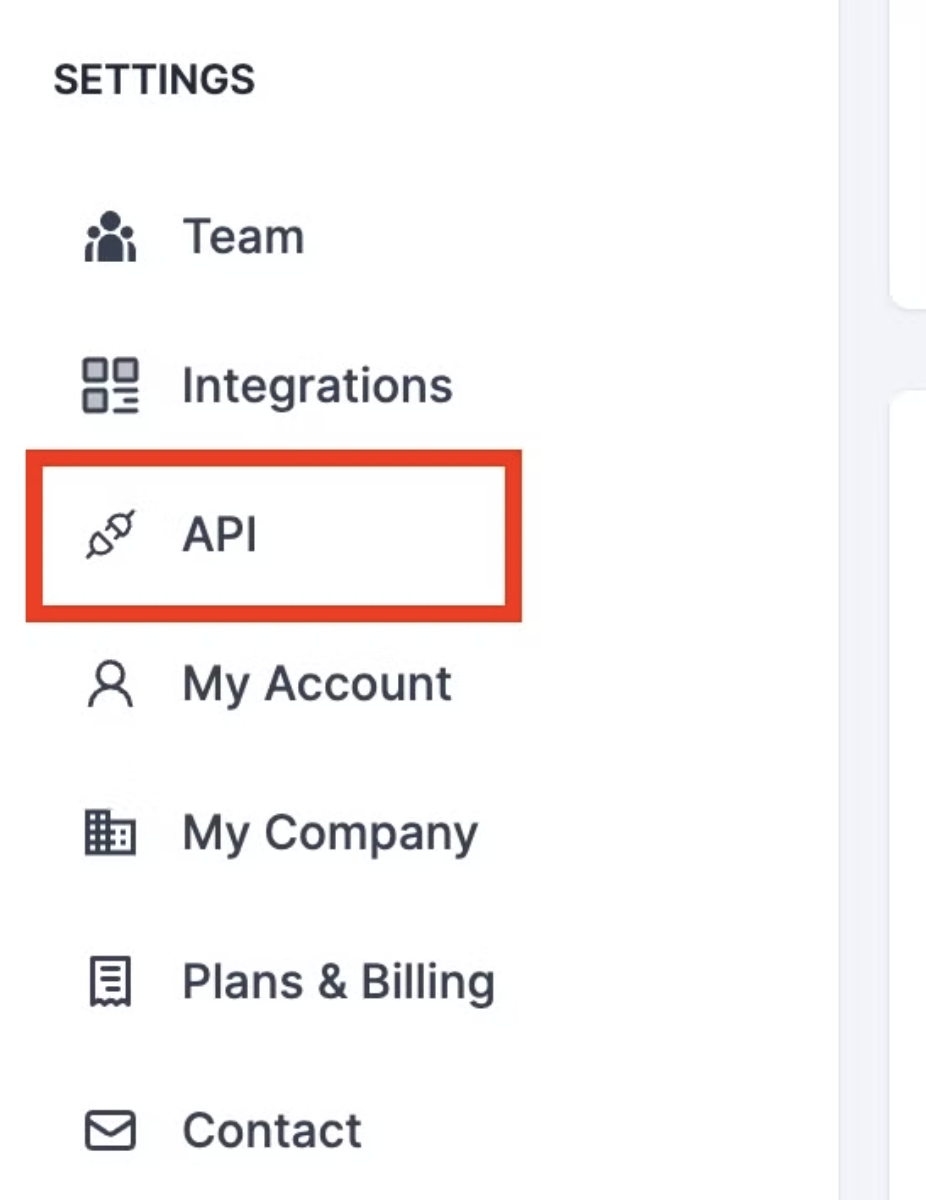
Head over to the API menu on the right sidebar.
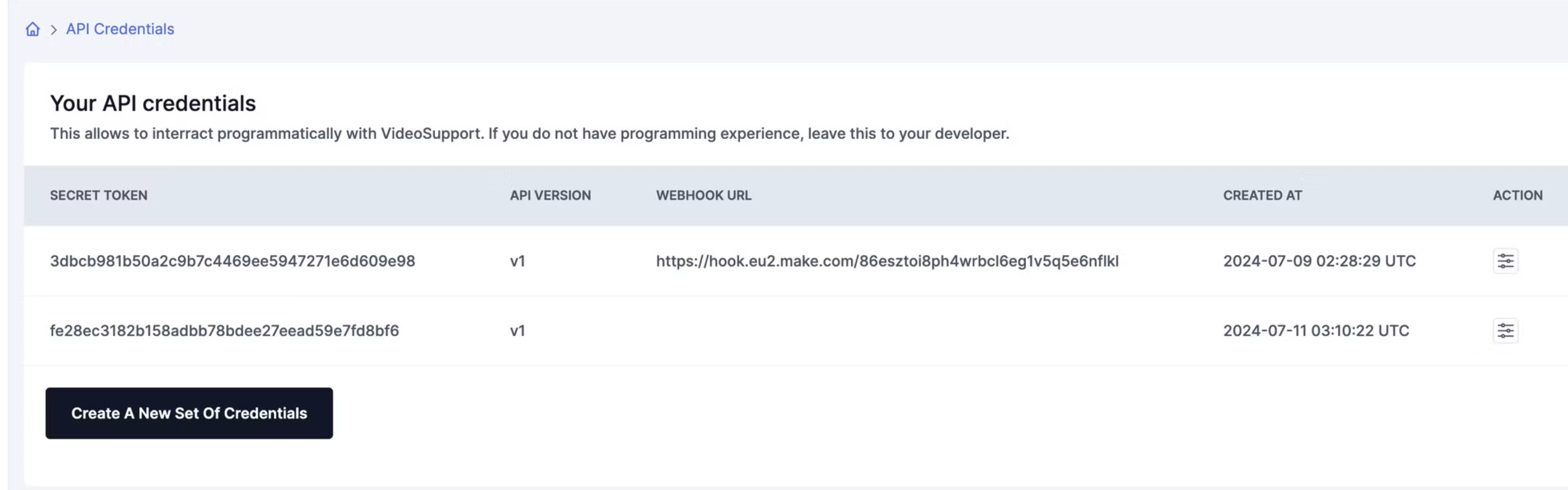
 Click on the button `Create a New Set Of Credentials` in order to get your secret token.
These credentials are linked to a specific API version (currently v1).
Click on the button `Create a New Set Of Credentials` in order to get your secret token.
These credentials are linked to a specific API version (currently v1).
 ## Authenticating requests
All requests to the REST API must be authenticated by passing your secret token in the headers of the requests as follows:
`headers["Access-Token"] = "your_secret_token"`
The base URL of the API is the following:
`https://app.videosupport.io/api/:api_version`
Where the api\_version is the version linked to your credential set (currently v1)
💡 Only https requests are accepted.
## Authenticating requests
All requests to the REST API must be authenticated by passing your secret token in the headers of the requests as follows:
`headers["Access-Token"] = "your_secret_token"`
The base URL of the API is the following:
`https://app.videosupport.io/api/:api_version`
Where the api\_version is the version linked to your credential set (currently v1)
💡 Only https requests are accepted.